
For Amazon Vendors and retail 1P suppliers, fulfillment is rarely as simple as creating a shipment.
In many retail fulfillment workflows, the seller or supplier cannot create a shipment directly. Instead, they must first submit a Shipment Routing Request. The channel or its assigned logistics provider then reviews the request and returns the required shipping instructions, such as carrier assignment, tracking information, shipping labels, service level, or pickup details.
Amazon Vendor Central is a common example. Before a vendor can complete fulfillment confirmation, they typically need to submit routing details based on the purchase order, destination, shipment items, and packing information. Similar workflows also appear in retail 1P programs with large retailers such as Walmart Retail.
When this process is managed manually, operations teams often have to move between the order management system, channel portals, external logistics systems, and warehouse workflows. They may need to submit routing requests manually, maintain carton and pallet details, download labels, copy tracking numbers back into the system, and confirm whether the channel or provider has accepted the request.
That creates unnecessary operational work and increases the risk of duplicate submissions, quantity conflicts, inaccurate packing data, missing tracking numbers, label issues, and limited visibility when something goes wrong.
Synctify’s Shipment Routing Request helps teams bring these channel-controlled fulfillment workflows into one order management system, making the process easier to manage, track, and reconcile.
What Is a Shipment Routing Request?
A Shipment Routing Request is a request submitted by a vendor or supplier to a retail channel or logistics provider before a shipment can be confirmed.
Instead of creating a shipment directly, the vendor first provides the required order, destination, item, and packing information. The channel or provider then returns routing instructions, which may include the assigned carrier, shipping method, tracking number, label, service level, or pickup instructions.
For Amazon Vendors and retail 1P suppliers, this step is often required before fulfillment confirmation can be completed.
Manage Multi-Channel Routing Requests in One System
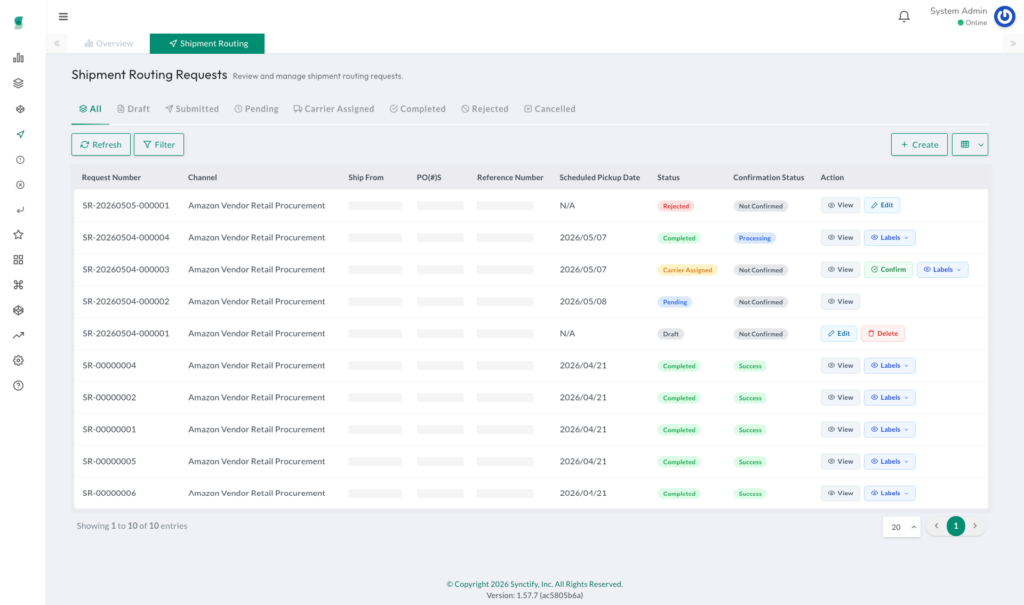
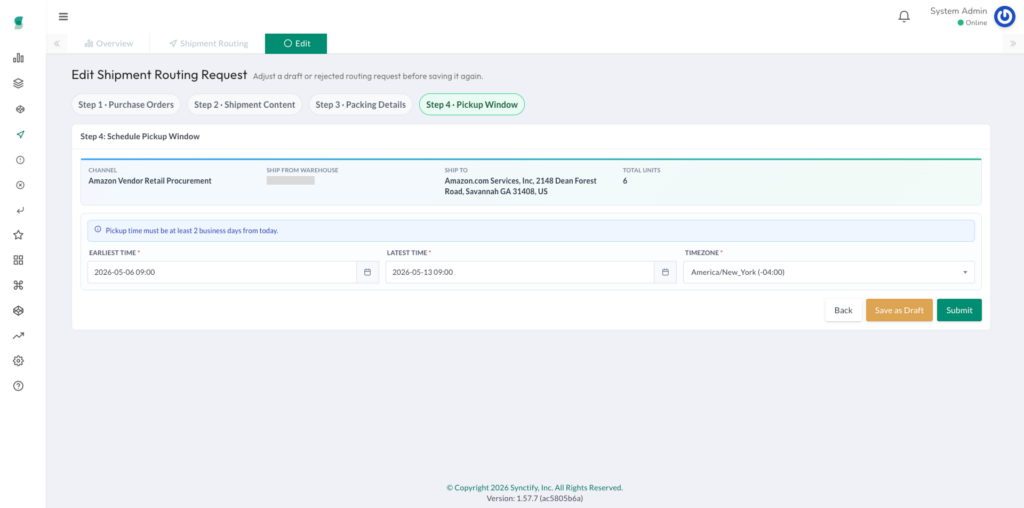
With Synctify, operations teams can create and manage Shipment Routing Requests directly from the Synctify Order Management module.
Users can filter eligible orders by channel, warehouse, purchase order, and ship-to location. This makes it easier to prepare routing requests based on the actual requirements of each retail channel, without jumping between multiple portals or external tools.
Whether the workflow involves Amazon Vendor Central, B2B channels, retail 1P programs, or other channel-controlled fulfillment scenarios, teams can manage the process through a consistent workflow inside Synctify.
Prevent Quantity Conflicts with Order Line-Level Selection
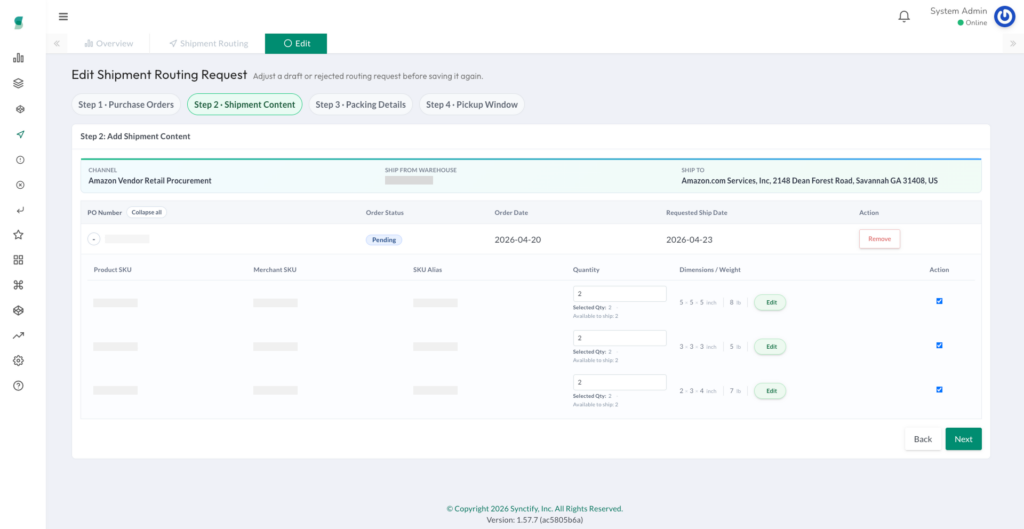
Partial shipments, split shipments, and multiple routing requests can quickly create quantity control issues.
One of the most common problems is that the same order line quantity may be included in more than one active request. This can lead to duplicate submissions, over-fulfillment, and time-consuming reconciliation work.
Synctify’s Shipment Routing Request supports line-level quantity selection, allowing users to define exactly how much quantity from each order line should be included in the current request.
This helps teams prevent the same quantity from being reserved by multiple active requests and gives operations teams a clearer view of what has already been requested, confirmed, or still remains available for fulfillment.
Manage Cartons, Pallets, and SSCC in the Same Workflow
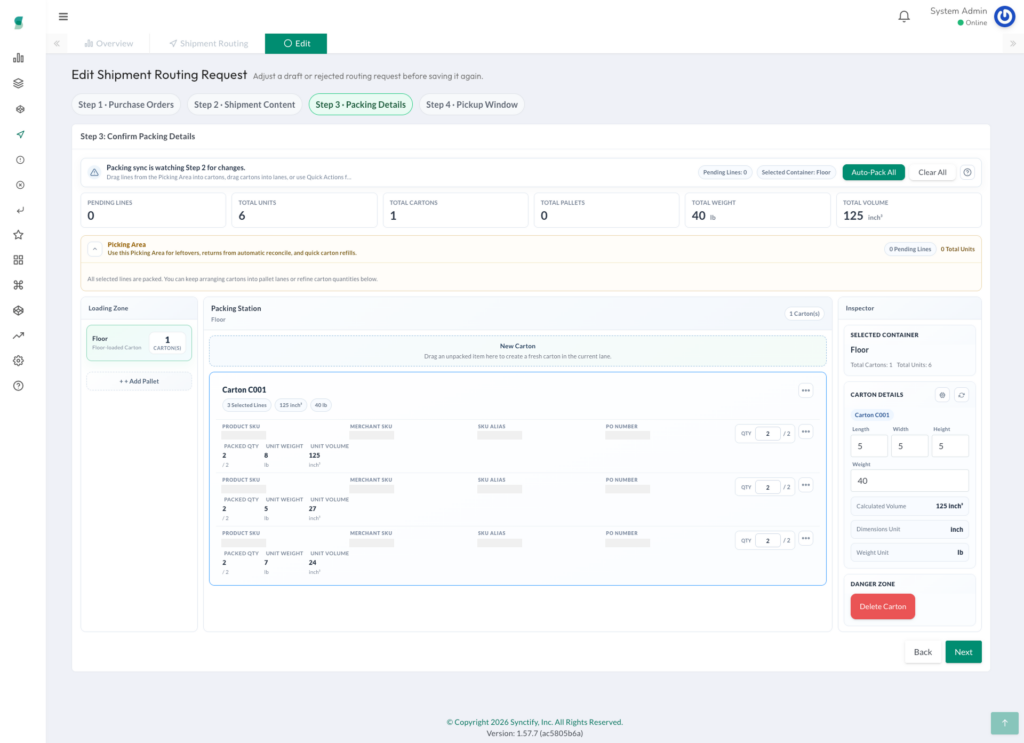
Retail 1P and B2B fulfillment often require more than item-level shipment details. Channels may also need to know exactly how goods are packed.
Synctify supports carton and pallet packing structures, including standalone cartons and cartons placed on pallets. Teams can maintain carton, pallet, and packing hierarchy information directly in Synctify as part of the routing request workflow.
The system also supports Serial Shipping Container Code(SSCC) management, including storing, manually entering, backfilling, and automatically generating SSCC values.
By keeping packing information connected to the routing request, teams can better align warehouse operations with channel requirements, shipping labels, tracking information, and fulfillment confirmation.
Track the Workflow from Request Submission to Fulfillment Confirmation
Shipment Routing Request is not just about creating a request. It helps teams manage the full workflow from submission to confirmation.
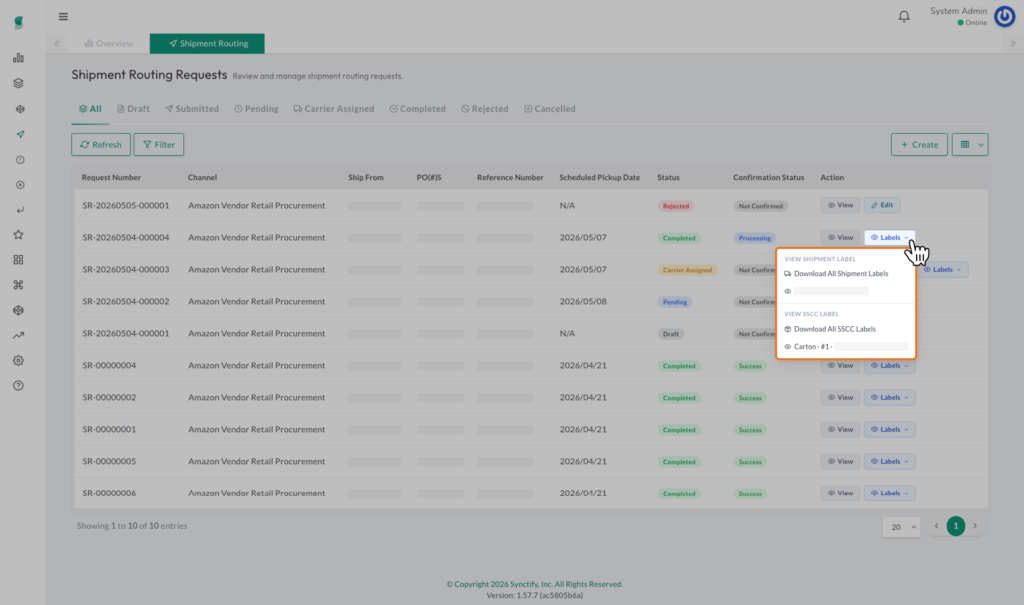
Vendors can submit routing requests to the channel directly from Synctify. Once the channel or provider processes the request, Synctify can store the returned shipment instructions, carrier details, tracking numbers, service levels, and shipping labels, all linked to the original request.
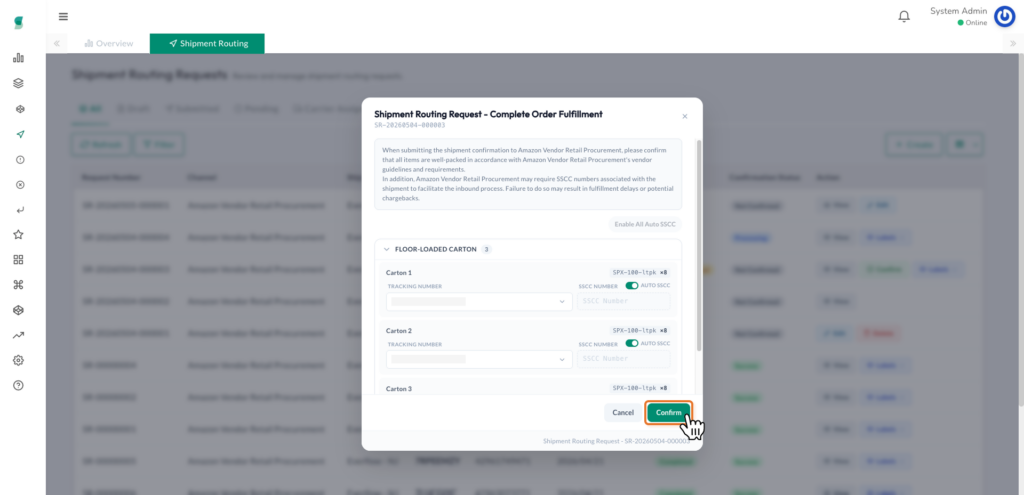
After the required information is returned, teams can continue with fulfillment confirmation and track the confirmation status.
Once fulfillment confirmation is successful, Synctify can automatically write the result back to the shipment record in the Order Management module. This creates a clearer connection between external channel routing workflows and internal shipment management.
Improve Visibility and Troubleshooting
When routing workflows are handled across multiple systems, troubleshooting can be difficult.
If a channel returns an error, a label cannot be downloaded, tracking information fails to sync, or the request status is unclear, operations teams often have to search across portals, warehouse records, and internal systems to understand what happened.
Synctify’s Shipment Routing Request keeps channel reference numbers, error messages, processing records, trace information, and status history in one place.
This gives operations teams better visibility into each step of the workflow, reduces manual follow-up, and makes it easier to identify where an issue occurred. For managers, it also provides a more reliable view of fulfillment risk and process status.
Key Capabilities of Synctify Shipment Routing Request
With Shipment Routing Request, Synctify helps operations teams:
- Create shipment routing requests directly from Synctify
- Manage multi-channel routing workflows in one order management system
- Filter eligible orders by channel, warehouse, purchase order, and ship-to location
- Select shipment quantity at the order line level
- Reduce duplicate routing requests and quantity conflicts
- Maintain carton, pallet, and SSCC information
- Store carrier, tracking, shipping label, service level, and routing instruction details
- Track fulfillment confirmation status
- Automatically write back shipment records after successful fulfillment confirmation
- Preserve channel reference numbers, error messages, processing records, and status history for troubleshooting
Why This Matters for Amazon Vendors and Retail 1P Suppliers
For Amazon Vendors, retail 1P suppliers, and teams managing channel-controlled fulfillment, Shipment Routing Request helps turn a fragmented manual process into a structured workflow.
Instead of managing routing requests in channel portals, packing details in warehouse spreadsheets, labels in external systems, and shipment records in the OMS, teams can connect these steps inside Synctify.
The result is a more reliable fulfillment process with fewer manual steps, better quantity control, cleaner packing data, easier troubleshooting, and a clearer handoff from routing request to fulfillment confirmation and shipment creation.
Synctify continues to strengthen its order management capabilities for multi-channel fulfillment, helping brands manage complex vendor and retail workflows with greater consistency, accuracy, and traceability.
FAQ
blog-shipment-routing-request
Subscribe to Our Newsletter
Get the latest releases, news and more!