

Synctify has officially achieved Walmart Supplier One certification, and our app is now live on Supplier One App Store. With a simple authorization flow, Walmart 1P suppliers can connect Supplier One to Synctify to automate day-to-day operations like order processing, inventory management, and invoice visibility—without building a custom integration.
If you’re running a Walmart 1P business, this launch is designed to make your operational data flow faster, cleaner, and easier to manage at scale.
What Are Walmart 1P and Supplier One?
Walmart 1P(First-Party) in plain terms
Walmart 1P suppliers sell items directly to Walmart (common models include DSV, Warehouse, and Import), and manage core workflows like orders and inventory via Walmart’s supplier tools and APIs. Synctify’s Walmart Supplier One(1P) integration helps connect these workflows to your internal systems without building custom API connections.
Supplier One
Supplier One is Walmart’s unified supplier platform for managing omnichannel business, support, insights, and—critically—API and app integrations.
Walmart also states that eligible U.S. 1P suppliers should start using Supplier One regularly (as part of the transition to the new experience).
Key Features of Synctify’s Walmart Supplier One Integration
After you authorize Synctify inside Supplier One, Synctify can help automate the workflows below.
1. Order Syncing
Automatically pull new Walmart 1P orders into Synctify so your operations team can work from one platform(instead of checking multiple portals). Walmart’s supplier APIs are built for managing orders and related data.
2. Order Acknowledgement
Synctify can streamline acknowledgements so orders are confirmed quickly and consistently. Walmart’s API guidance notes orders should be acknowledged preferably within four hours of receipt.
3. Order Cancellation
When cancellations are unavoidable, Synctify supports canceling eligible order lines through Walmart’s cancellation endpoint (before fulfillment), helping teams reduce manual intervention.
4. Inventory Syncing
Keep inventory levels synchronized between Walmart and warehouses to avoid overselling and ensure accurate stock availability.
5. Warehouse-Level Inventory Syncing
If you manage multiple locations, Synctify can support warehouse-level visibility by syncing inventory across ship nodes (distribution/ship locations).
6. Shipment Confirmation
Sync shipment confirmations to Walmart by updating PO line shipping status, keeping fulfillment progress aligned across systems.
How to Connect Synctify in Supplier One
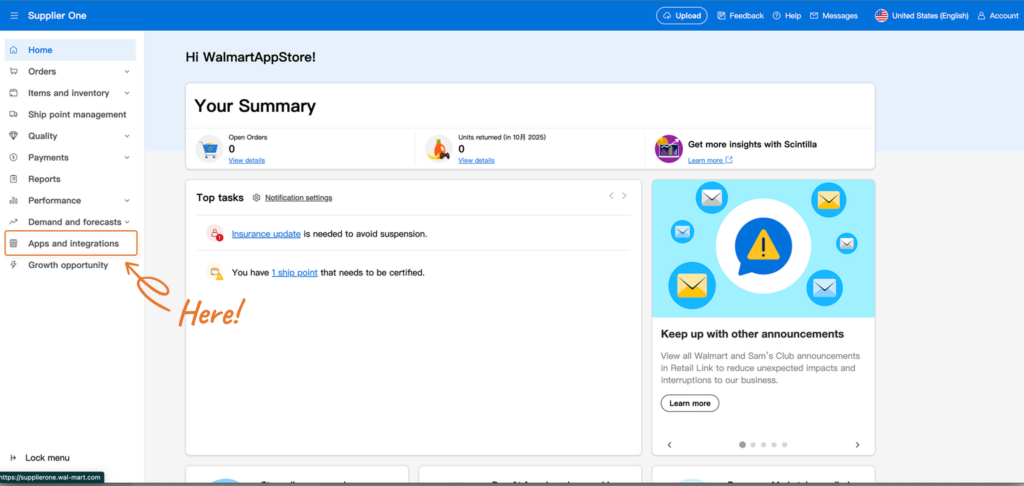
Supplier One includes an Apps & Integrations area where suppliers can view connected apps and visit the app store. Only your Retail Link Site Administrator can connect apps to your Supplier One account.
Typical setup looks like this:
1. Log into Supplier One
2. Go to Apps & Integrations → open the App Store
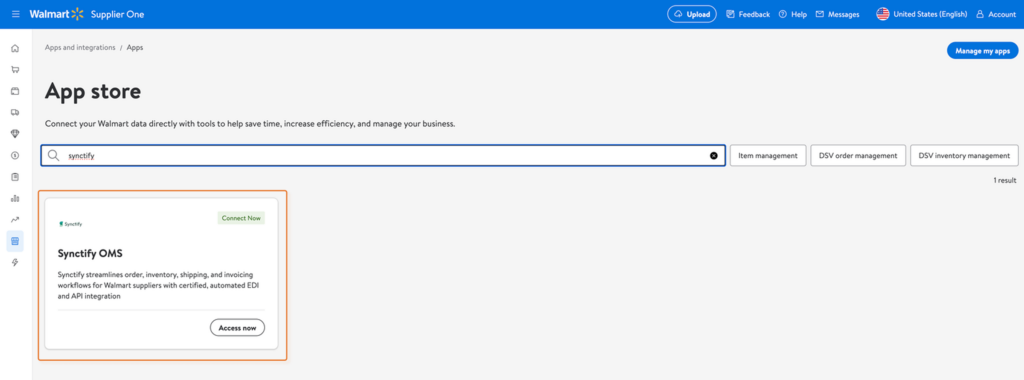
3. Find Synctify
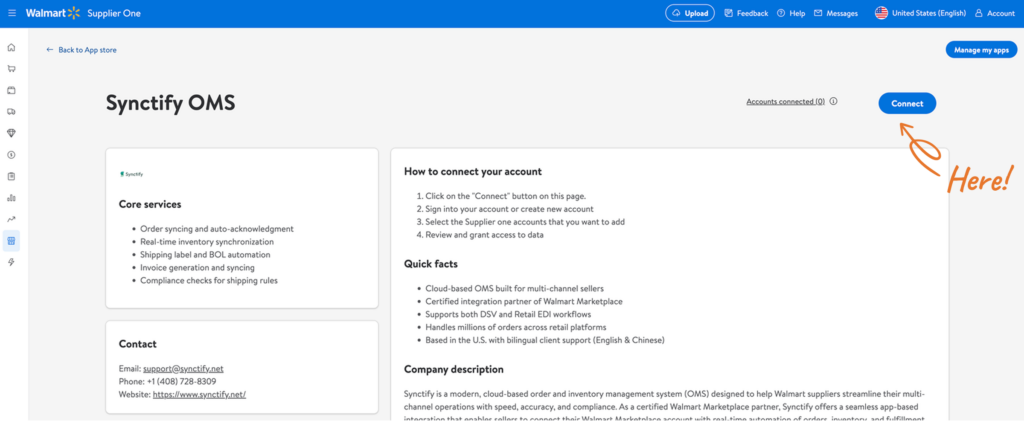
4. Click Connect
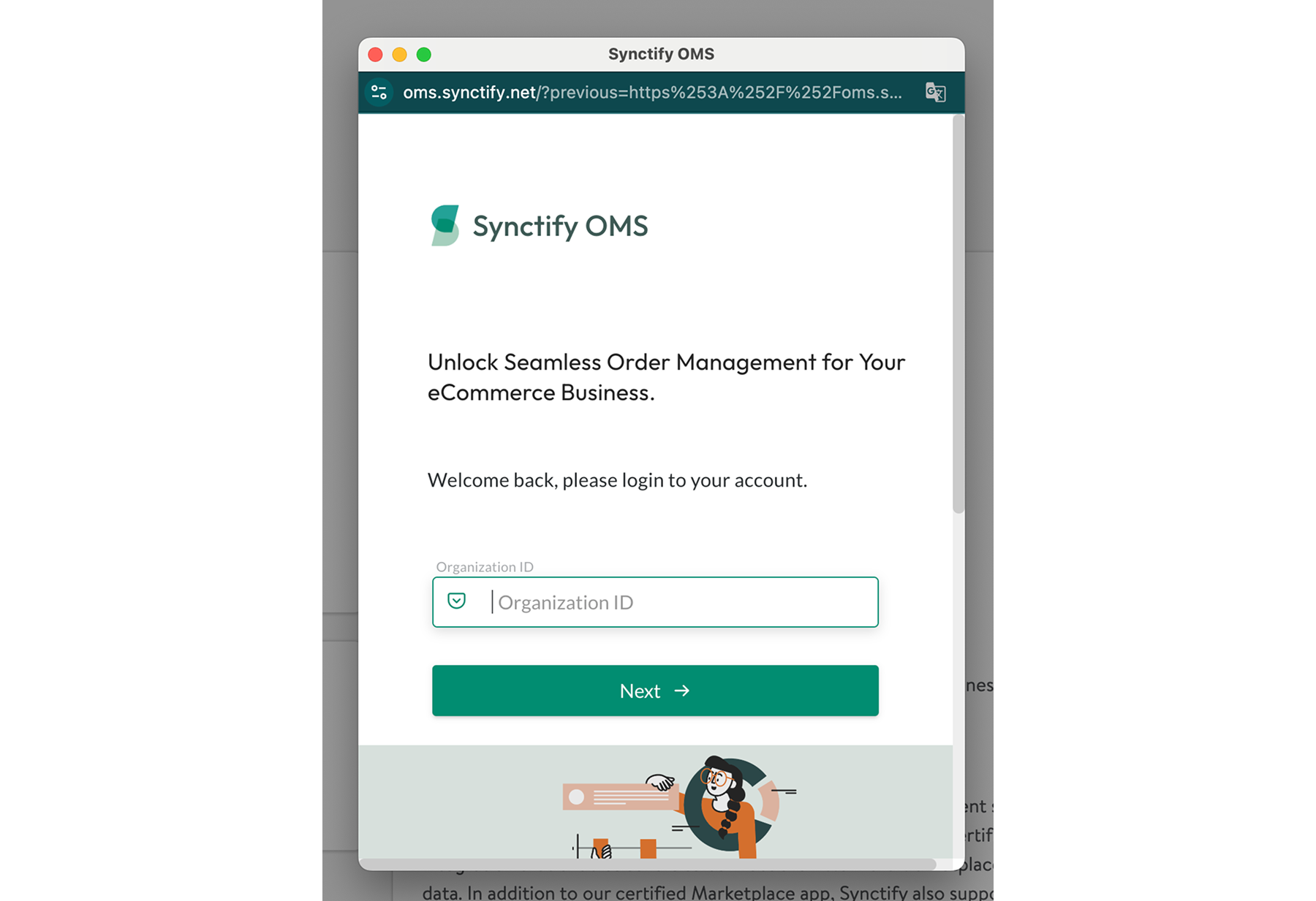
5. After you click Connect, a pop-up window will prompt you to sign in to your Synctify account.
6. Select the Walmart Supplier One account you want to connect.
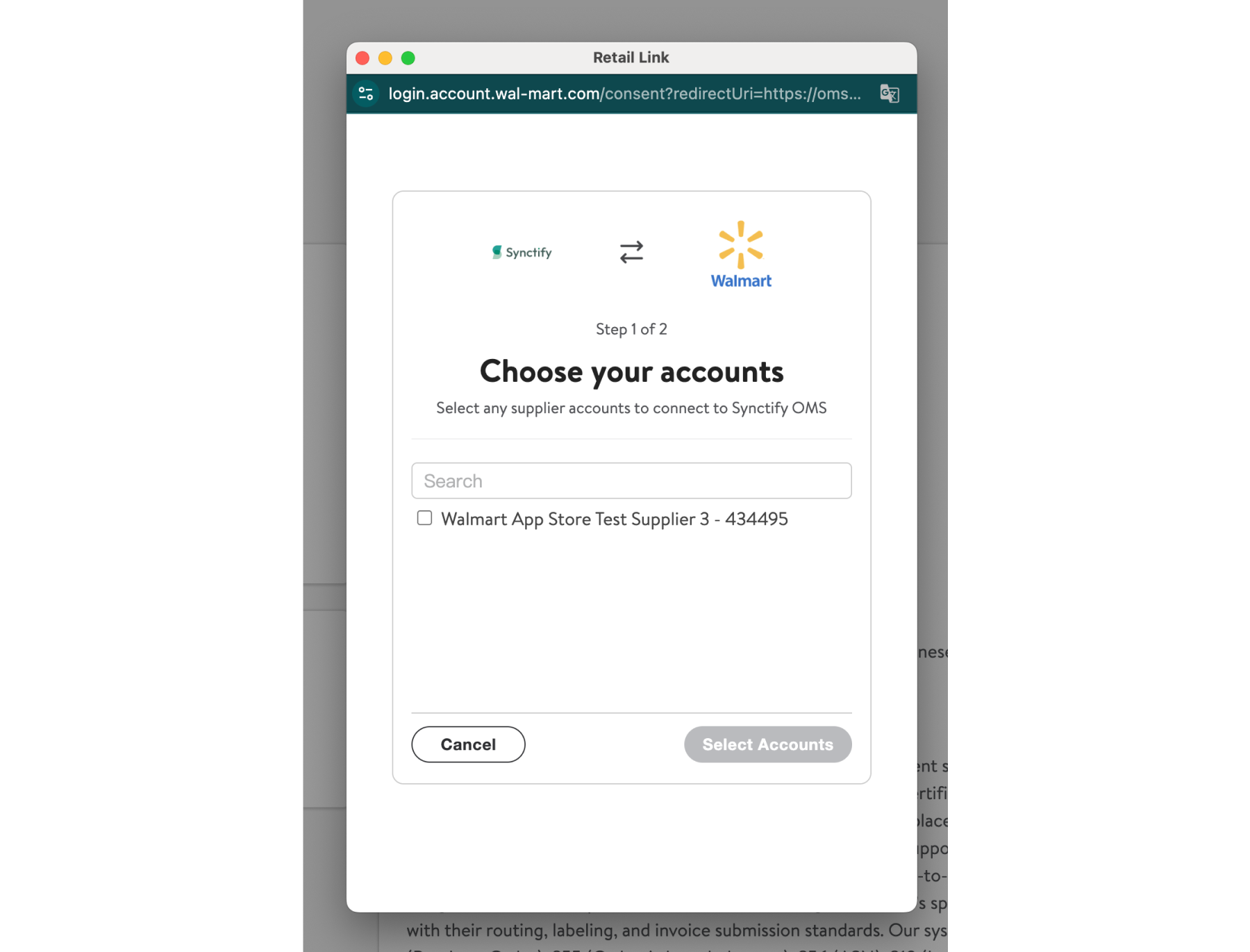
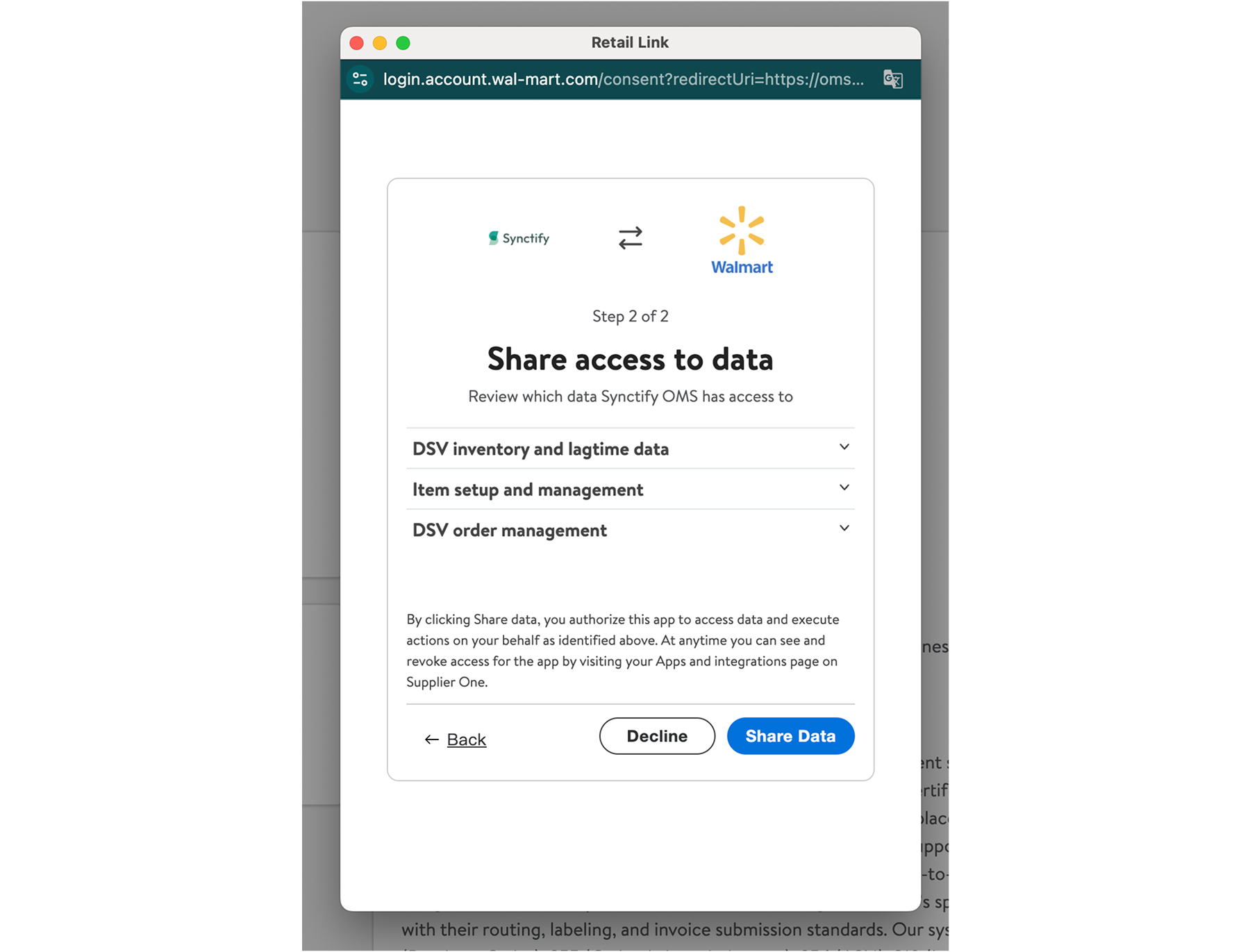
7. Review the requested permissions, then click Authorize to grant data access.
8. Choose whether you’d like to enable inventory syncing between Synctify and Walmart.
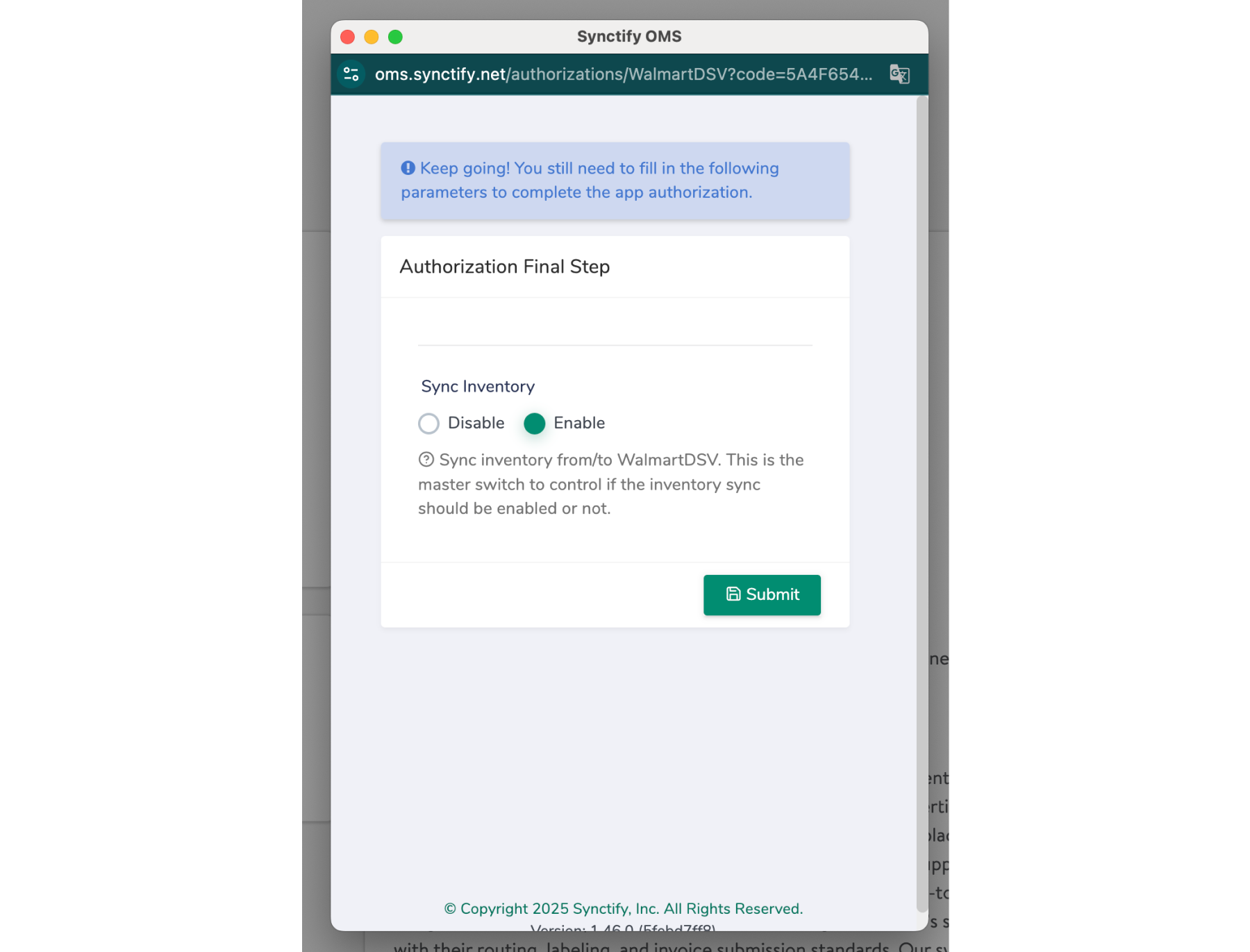
9. You’re all set — Synctify will start syncing based on your selected settings.
Who This Integration Is For
- Walmart 1P suppliers (including DSV/Owned/other eligible supplier models operating via Supplier One)
- Teams that want to reduce manual work across orders, inventory, and invoicing
- Operators who need a reliable system to support growth, SLA adherence, and operational consistency
If you’re a Walmart Marketplace Seller(3P), see this guide:

Overview of Synctify’s Walmart Marketplace Integration
Get Started
Ready to connect Walmart Supplier One to automated operations in Synctify?
- Install Synctify from the Supplier One App Store and authorize access
- Or contact Synctify to schedule an onboarding walkthrough
Subscribe to Our Newsletter
Get the latest releases, news and more!