

Simplify Temu Operations with Synctify’s Certified Public App
We’re excited to announce that Synctify is now an official partner of Temu. Our certified public app is live on Temu’s Seller App Store, enabling sellers to connect their Temu store with Synctify in just a few clicks. With this integration, you can automate order, inventory, and product management—streamlined directly into one dashboard.
Temu has quickly grown into a global e-commerce powerhouse, offering suppliers huge exposure to millions of active buyers. But with rapid growth comes operational complexity: managing orders, inventory accuracy, and product data across platforms can be overwhelming. That’s where Synctify comes in.
Key Features of Synctify’s Temu Integration
1. Seamless Integration with Temu
Get started in minutes. Synctify is officially listed on Temu’s Seller Center as a certified public app. Simply authorize your store with secure, app-based login and your data will start syncing instantly—no spreadsheets, no manual uploads.
2. Automated Order Management for Temu Sellers
- Order Syncing — Automatically pull new Temu orders into Synctify, complete with order status and timestamps for full visibility.
- Shipping Notification Sync — Push shipment confirmations and tracking numbers back to Temu the moment your orders are fulfilled, reducing customer inquiries and SLA risks.
3. Smart Temu Inventory Management
- Real-Time Inventory Sync — Keep your listings accurate with instant updates across all SKUs.
- Custom Sync Options — Control inventory by SKU or channel, or pause syncing during promotions, audits, or replenishments.
4. Temu Product Management
- Product Retrieval — Import your Temu product listings into Synctify for centralized management.
For a full list of supported features, check our Temu Integration page.
How to Authorize Synctify on Temu Seller Center
Connecting your Temu store is quick and secure:
1. Log in to your Temu Seller Center account.
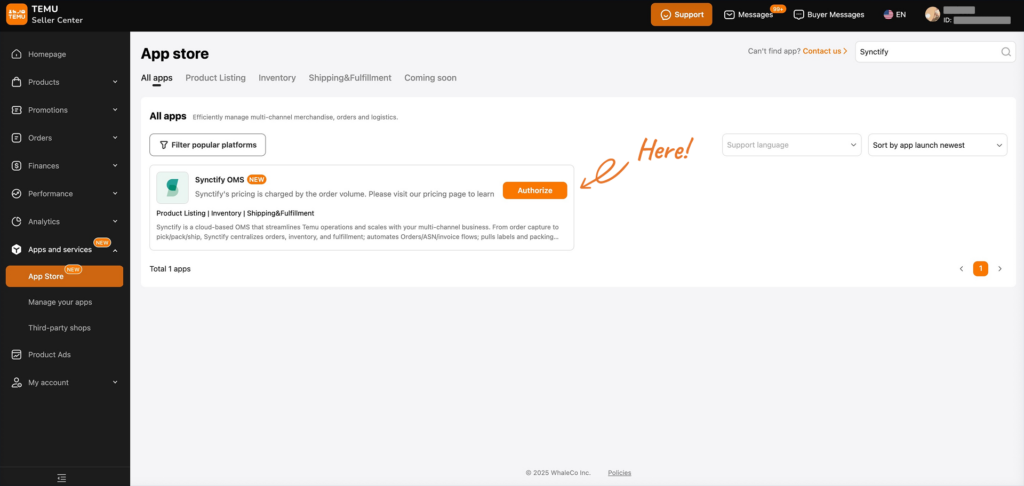
2. Go to the App Store and search for Synctify.
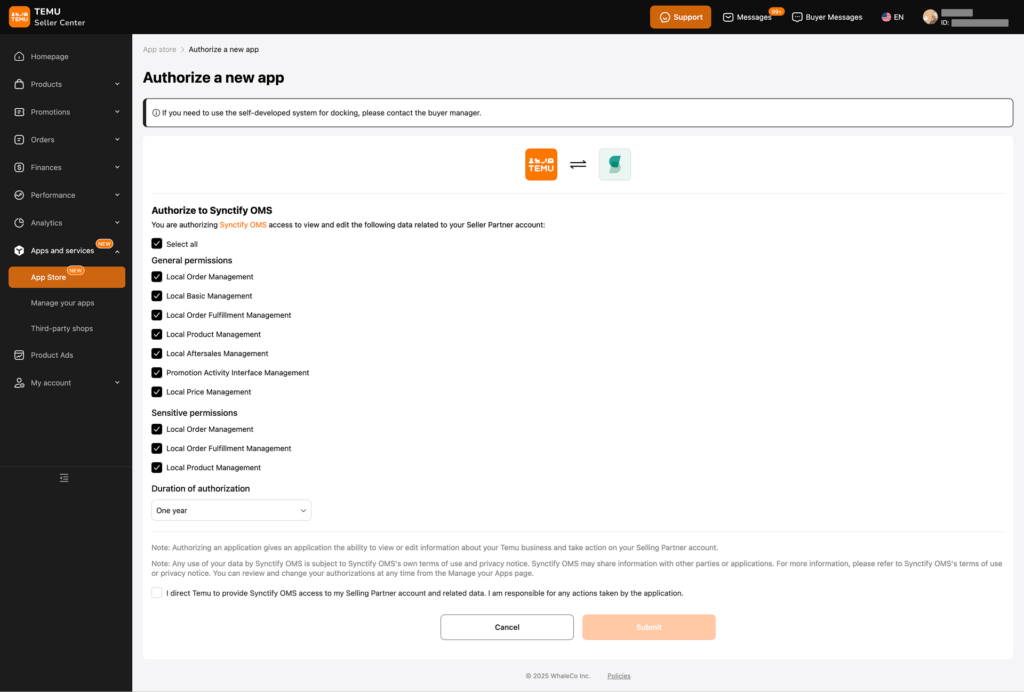
3. Click Authorize—you’ll see a confirmation in Temu Seller Center that Synctify OMS has been authorized.
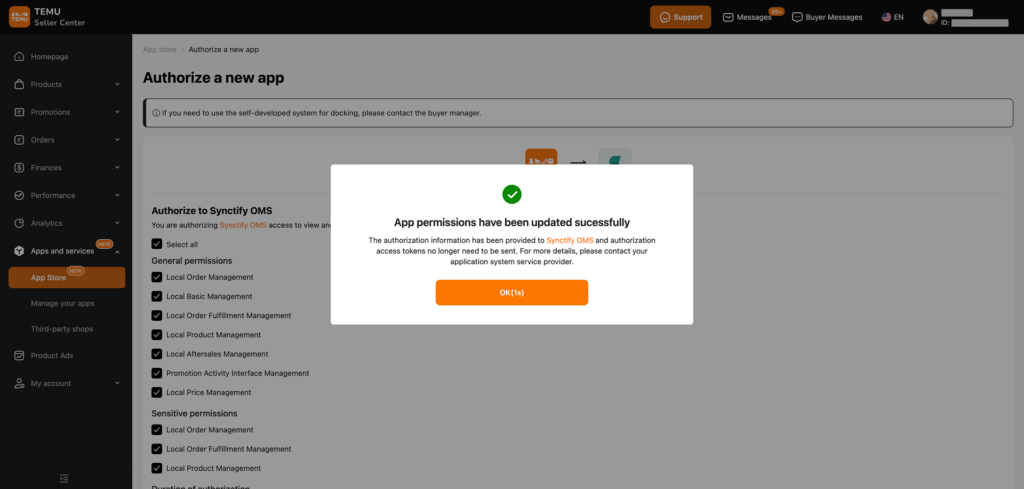
4. You’ll be redirected to Synctify’s dashboard. Log in to your account and complete the authorization process.
Ready to Scale Your Temu Business?
Looking for a reliable Temu API integration to reduce manual work and improve efficiency?
👉 Book a demo with Synctify to see how our Temu public app and OMS help you streamline orders, inventory, and product listings—so your team can focus on growth.
Subscribe to Our Newsletter
Get the latest releases, news and more!